Automating Releases with GoReleaser

Shipping a polished release for a software project by hand gets old fast: building for multiple platforms, packaging archives, generating checksums, publishing GitHub releases, cutting container images, and updating a Homebrew tap is exactly the kind of repetitive work that should not depend on memory or heroics.
GoReleaser turns that whole workflow into a repeatable release pipeline that scales from your first CLI to a heavily used open source project.
Not Just for Go-based Project Releases
Despite the name, GoReleaser supports releasing for Go, Python, Rust, Zig, and TypeScript based projects.
Manual releases often seem manageable at first, then turn into a mess the moment users ask for macOS support, ARM builds, checksums, containers, or a one-line brew install experience. Maintainers end up writing ad hoc shell scripts, copying files into GitHub Releases by hand, and hoping the version embedded in the binary matches the git tag they just pushed.
GoReleaser solves that by treating release engineering as configuration. You describe what to build, package, sign, and publish, then let one command, or one CI job, do the same thing every time. It handles the boring parts well enough that you get to focus on your project instead of your release checklist.
Getting Started
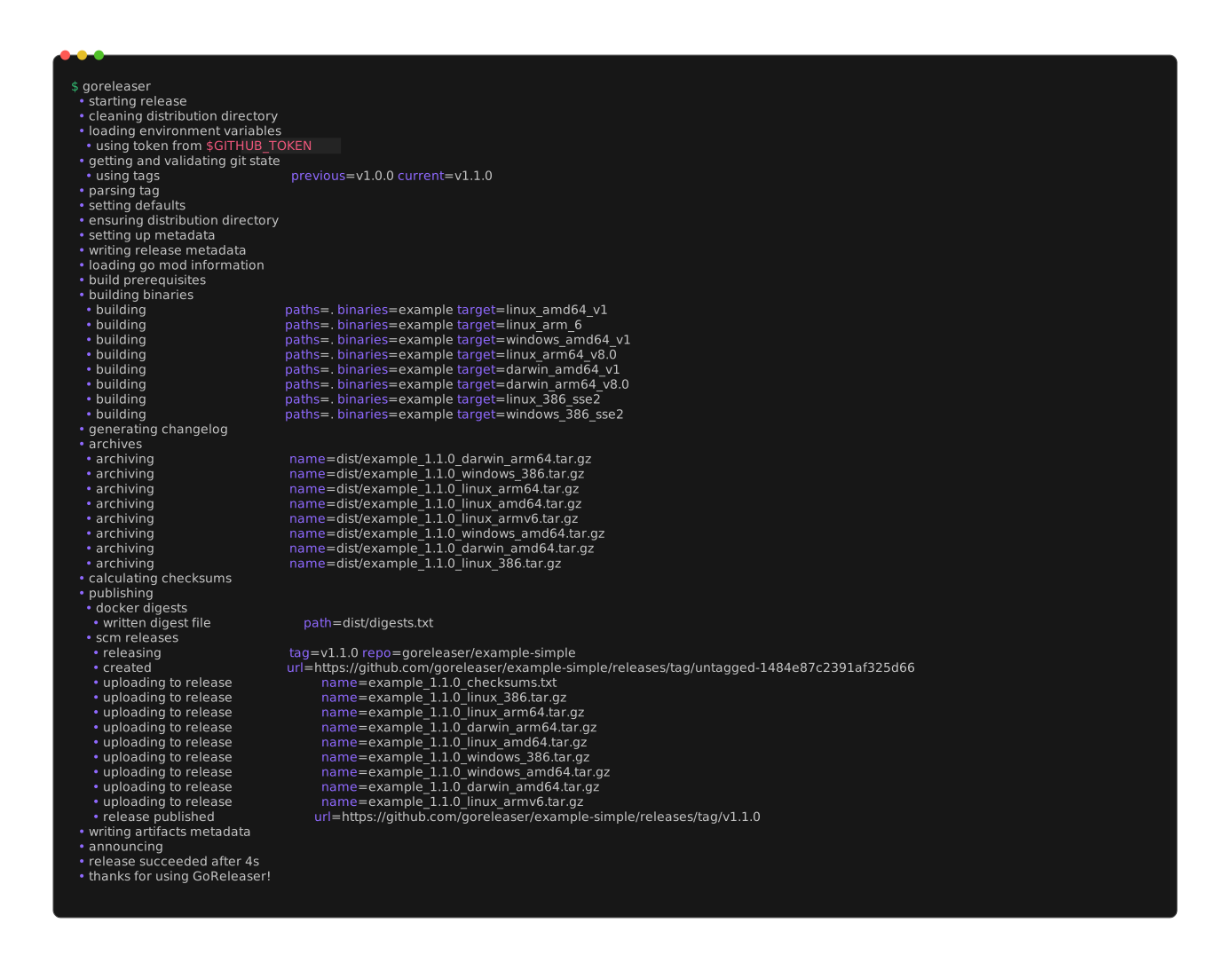
Install GoReleaser
If you want to follow along locally, there are two straightforward ways to install GoReleaser.
Verify the installation:
For interactive local use, @latest is a reasonable starting point. For team automation, CI base images, or bootstrap scripts, prefer an explicit version such as @v2.15.2 so the toolchain does not drift underneath you.
Scaffold the Config with goreleaser init
Inside your repository, generate a starter configuration:
That gives you a .goreleaser.yaml file with the right overall shape. Treat it as a starting point, not a finished release pipeline. The real value comes from editing that file until it matches your project's distribution story.
The examples below use a Go binary because it is a straightforward way to show the core structure. If you are working in Rust, Zig, TypeScript, or Python, the exact build details will change, but the overall workflow stays familiar: define what to build, how to package it, what to publish, and which guardrails should run before a release goes out.
Test Locally with --snapshot --clean
Before you wire anything into CI, do a local dry run:
This command is worth understanding in detail:
releaseruns the full release pipeline instead of only building one binary.--snapshotskips publishing and creates snapshot artifacts from your current checkout.--cleanremoves thedist/directory first, which prevents stale artifacts from confusing the result.
After it finishes, inspect dist/. You should see binaries, archives, and checksums that look like a real release, just without the publish step.
Add goreleaser check to Your Routine
Run goreleaser check after editing .goreleaser.yaml. It catches schema and templating mistakes before you discover them in a tag-triggered workflow.
CLI Quick Reference
| Command | When to Use It | Publishes Artifacts? |
|---|---|---|
goreleaser init | Generate a starter .goreleaser.yaml in a new project | No |
goreleaser check | Validate your configuration before running a build or release | No |
goreleaser build --snapshot --clean | Compile binaries locally without running the full release pipeline | No |
goreleaser release --snapshot --clean | Run a full local dry run with archives and checksums but no publish step | No |
goreleaser release --clean | Run the real release pipeline in CI or on a tagged release | Yes |
Deconstructing .goreleaser.yaml
The heart of GoReleaser is one file: .goreleaser.yaml. The best way to learn it is to start from a clean baseline and understand each section's job.
Because this walkthrough uses a Go project as the concrete example, the next few sections include Go-specific fields such as goos, goarch, and ldflags. Those keys are not the point by themselves. The point is how GoReleaser models builds, packaging, checksums, changelogs, and publication as one repeatable pipeline.
A Baseline Config
version: 2

project_name: example

before:
  hooks:
    # Use read-only validation steps before packaging.
    - go mod verify
    - go test ./...

builds:
  - id: example
    main: ./cmd/example
    binary: example
    env:
      # Disable CGO for simpler static cross-compilation.
      - CGO_ENABLED=0
    goos:
      - linux
      - darwin
      - windows
    goarch:
      - amd64
      - arm64
    ldflags:
      - -s -w
      - -X main.version={{.Version}}
      - -X main.commit={{.Commit}}
      - -X main.date={{.Date}}

archives:
  - id: default
    builds:
      - example
    name_template: >-
      {{ .ProjectName }}_{{ .Version }}_{{ title .Os }}_{{ .Arch }}
    format_overrides:
      - goos: windows
        format: zip

checksum:
  name_template: checksums.txt

changelog:
  use: git
before: The Preflight Stage
The before section runs commands before any build starts. This is the right place for tasks that should fail the release immediately, such as go test, go mod verify, code generation, or schema validation.
Avoid commands here that rewrite tracked files during a release. For Go projects, go mod tidy can change go.mod or go.sum, which makes the release less reproducible and can create a mismatch between the tagged commit and the artifacts you publish. A better pattern is to enforce dependency tidiness in a separate CI check and keep the release pipeline focused on read-only verification.
If your release depends on generated files, add the generator here so artifacts are produced from the exact same steps every time.
builds: What You Compile
The builds section defines your binaries and target matrix.
builds:
  - id: example
    main: ./cmd/example
    binary: example
    env:
      - CGO_ENABLED=0
    goos:
      - linux
      - darwin
      - windows
    goarch:
      - amd64
      - arm64
The key fields are:
goos: target operating systems such aslinux,darwin, andwindows.goarch: target CPU architectures such asamd64andarm64.env: per-build environment variables, commonlyCGO_ENABLED=0for static binaries.
The ldflags block is where you stamp version metadata into the binary:
ldflags:
  - -s -w
  - -X main.version={{.Version}}
  - -X main.commit={{.Commit}}
  - -X main.date={{.Date}}
That makes example version output useful in bug reports and support threads.
Your program needs matching variables for those linker flags to populate. A minimal pattern looks like this:
archives: What You Ship
Most users do not download raw binaries. They download platform-specific archives, so the archives section matters.
archives:
  - id: default
    builds:
      - example
    name_template: >-
      {{ .ProjectName }}_{{ .Version }}_{{ title .Os }}_{{ .Arch }}
    format_overrides:
      - goos: windows
        format: zip
This controls:
- archive naming
- which build IDs go into which archive
- format differences by platform, such as
zipfor Windows andtar.gzelsewhere
If you want predictable, support-friendly downloads, spend time on archive naming early.
checksum: The Trust Anchor
Checksums let users and package managers verify artifact integrity.
This produces a checksums.txt file in dist/, and later in your GitHub Release. That file is small, boring, and extremely important. It is also the ideal thing to sign.
A Real-World Progression
The baseline config above is intentionally small. It teaches the shape of a GoReleaser file without burying you in special cases. A maintained production repository usually grows beyond that.
One of my own examples is vmware/packer-plugin-vsphere, whose .goreleaser.yml is tuned for a real plugin distribution workflow. The excerpt below is abridged to highlight the parts that differ most from the baseline example:
version: 2

env:
  - CGO_ENABLED=0

before:
  hooks:
    - go clean -testcache
    - go test ./...
    - make plugin-check
    - cp LICENSE LICENSE.txt

builds:
  - id: plugin-check
    mod_timestamp: '{{ .CommitTimestamp }}'
    flags:
      - -trimpath
    ldflags:
      - '-s -w -X {{ .ModulePath }}/version.Version={{.Version}} -X {{ .ModulePath }}/version.VersionPrerelease= '
    goos: [linux]
    goarch: [amd64]
    binary: '{{ .ProjectName }}_v{{ .Version }}_{{ .Env.API_VERSION }}_{{ .Os }}_{{ .Arch }}'

  - id: linux-builds
    mod_timestamp: '{{ .CommitTimestamp }}'
    flags:
      - -trimpath
    ldflags:
      - '-s -w -X {{ .ModulePath }}/version.Version={{.Version}} -X {{ .ModulePath }}/version.VersionPrerelease= '
    goos: [linux]
    goarch: [amd64, "386", arm, arm64]
    ignore:
      - goos: linux
        goarch: amd64
    binary: '{{ .ProjectName }}_v{{ .Version }}_{{ .Env.API_VERSION }}_{{ .Os }}_{{ .Arch }}'

archives:
  - name_template: '{{ .ProjectName }}_v{{ .Version }}_{{ .Env.API_VERSION }}_{{ .Os }}_{{ .Arch }}'
    files:
      - LICENSE.txt
    formats: [zip]

checksum:
  name_template: '{{ .ProjectName }}_v{{ .Version }}_SHA256SUMS'
  algorithm: sha256

signs:
  - artifacts: checksum
    args:
      - "--batch"
      - "--local-user"
      - "{{ .Env.GPG_FINGERPRINT }}"
      - "--output"
      - "${signature}"
      - "--detach-sign"
      - "${artifact}"

changelog:
  use: github-native
Compared to the baseline example, a production config like this makes different tradeoffs:
- The baseline example uses one generic build definition.
packer-plugin-vspheresplits builds by purpose and platform because plugin compatibility checks and shipping targets are not the same job. - The baseline example uses simple archive names. The plugin config includes
API_VERSIONin the binary and archive names because Packer plugin consumers need that compatibility signal in the artifact itself. - The baseline example treats
go test ./...as a sensible default. The production config addsgo clean -testcache, amake plugin-checkgate, and archive preparation steps because those are real release requirements for that repository. - The baseline example uses a generic
main.versionlinker pattern. The plugin config writes version data into the project's actual module path, which is what you should do once your codebase has a real version package or release metadata contract. - The baseline example shows a mixed archive strategy with
ziponly for Windows. The plugin config forceszipeverywhere because that repository optimizes for a consistent plugin packaging format, not a generic CLI download matrix. - The baseline example uses
changelog: use: gitbecause it is easier to explain. The plugin config usesgithub-native, which is a better fit when release notes are driven by GitHub's release and PR metadata.
The important lesson is not that every project should copy this file wholesale. It is that a good GoReleaser config evolves with the distribution contract of the project. A small CLI can start with one builds entry and one archive rule. A widely consumed plugin or SDK usually needs explicit artifact naming, compatibility checks, signing, and a more opinionated target matrix.
Leveling Up
Once the baseline works, you can let GoReleaser handle the parts of release engineering that usually get pushed into hand-rolled shell scripts.
Docker Integration
If your CLI also ships as a container image, GoReleaser can build and publish it during the same release. The common pattern is to build per-architecture images, then publish a multi-arch manifest.
dockers:
  - id: example-amd64
    ids:
      - example
    use: buildx
    goos: linux
    goarch: amd64
    dockerfile: Dockerfile
    image_templates:
      - ghcr.io/tenthirtyam/example:{{ .Version }}-amd64
      - ghcr.io/tenthirtyam/example:latest-amd64
    build_flag_templates:
      - "--label=org.opencontainers.image.title={{ .ProjectName }}"
      - "--label=org.opencontainers.image.version={{ .Version }}"
      - "--label=org.opencontainers.image.revision={{ .FullCommit }}"

  - id: example-arm64
    ids:
      - example
    use: buildx
    goos: linux
    goarch: arm64
    dockerfile: Dockerfile
    image_templates:
      - ghcr.io/tenthirtyam/example:{{ .Version }}-arm64
      - ghcr.io/tenthirtyam/example:latest-arm64
    build_flag_templates:
      - "--label=org.opencontainers.image.title={{ .ProjectName }}"
      - "--label=org.opencontainers.image.version={{ .Version }}"
      - "--label=org.opencontainers.image.revision={{ .FullCommit }}"

docker_manifests:
  - name_template: ghcr.io/tenthirtyam/example:{{ .Version }}
    image_templates:
      - ghcr.io/tenthirtyam/example:{{ .Version }}-amd64
      - ghcr.io/tenthirtyam/example:{{ .Version }}-arm64
  - name_template: ghcr.io/tenthirtyam/example:latest
    image_templates:
      - ghcr.io/tenthirtyam/example:latest-amd64
      - ghcr.io/tenthirtyam/example:latest-arm64
Keep your Dockerfile minimal:
FROM gcr.io/distroless/static:nonroot

COPY example /usr/local/bin/example

ENTRYPOINT ["/usr/local/bin/example"]
The result is a single tag such as ghcr.io/tenthirtyam/example:v1.4.0 that transparently serves the right image to amd64 and arm64 users.
Homebrew Taps
One of the nicest things you can do for macOS users is give them a real brew install path. GoReleaser can create or update a formula in your custom tap automatically.
brews:
  - name: example
    directory: Formula
    homepage: "https://github.com/tenthirtyam/example"
    description: "Example"
    license: "MIT"
    repository:
      owner: tenthirtyam
      name: homebrew-tap
      branch: main
      token: "{{ .Env.HOMEBREW_TAP_GITHUB_TOKEN }}"
    commit_author:
      name: goreleaserbot
      email: [email protected]
    test: |
      system "#{bin}/example", "version"
    install: |
      bin.install "example"
For projects that publish through Homebrew, GoReleaser can update a second repository, commit the new formula, and keep the tap in lockstep with the GitHub Release.
Two practical notes:
- Use a dedicated token like
HOMEBREW_TAP_GITHUB_TOKENwhen the tap lives in a different repo. - Add a
teststanza so broken formulas fail fast instead of landing silently in the tap.
The test example above assumes your binary supports a version subcommand. If it does not, use another cheap smoke test such as system "#{bin}/example", "--help".
Security and Supply Chain
Modern releases are not just about convenience. They are also about provenance, integrity, and machine-readable metadata.
Generate SBOMs
SBOMs, or Software Bill of Materials, describe what is inside your release artifacts. They are increasingly useful for enterprise consumers, security scanners, and downstream packagers.
That tells GoReleaser to generate SBOMs for both the packaged archives and the raw binaries.
Sign the Checksums
You usually do not need to sign every binary individually. Signing the checksum file gives users one signature to verify and keeps the workflow manageable.
If you already distribute a GPG public key, this is the most practical GoReleaser pattern:
signs:
  - id: checksum
    artifacts: checksum
    cmd: gpg
    args:
      - "--batch"
      - "--local-user"
      - "{{ .Env.GPG_FINGERPRINT }}"
      - "--output"
      - "${signature}"
      - "--detach-sign"
      - "${artifact}"
This pairs cleanly with crazy-max/ghaction-import-gpg in GitHub Actions. Import the armored private key from secrets, let the action expose the fingerprint, and pass that fingerprint into GoReleaser as GPG_FINGERPRINT.
If you prefer Cosign keyless signing, GoReleaser supports that too. In that model, keep the signs block pointed at cosign, grant the workflow id-token: write, and let GitHub OIDC provide short-lived identity instead of managing a long-lived private key.
CI/CD Integration
Once a git tag triggers the release job, the process becomes much more predictable.
GitHub Actions Workflow
Create .github/workflows/release.yml:
If you are starting from the baseline config only, keep the checkout, setup-go, and goreleaser steps and remove the optional Docker, SBOM, Homebrew, and GPG-signing pieces until your .goreleaser.yaml actually uses them. The full workflow below shows how those parts fit together in one release job.
name: release

on:
  push:
    tags:
      - "v*"

permissions:
  contents: write
  packages: write

jobs:
  release:
    runs-on: ubuntu-latest

    steps:
      - name: Checkout
        uses: actions/checkout@de0fac2e4500dabe0009e67214ff5f5447ce83dd # v6.0.2
        with:
          fetch-depth: 0

      - name: Setup Go
        uses: actions/setup-go@4a3601121dd01d1626a1e23e37211e3254c1c06c # v6.4.0
        with:
          go-version-file: go.mod
          cache: true

      - name: Setup QEMU
        uses: docker/setup-qemu-action@ce360397dd3f832beb865e1373c09c0e9f86d70a # v4.0.0

      - name: Setup Docker Buildx
        uses: docker/setup-buildx-action@4d04d5d9486b7bd6fa91e7baf45bbb4f8b9deedd # v4.0.0

      - name: Login to Container Registry
        uses: docker/login-action@4907a6ddec9925e35a0a9e82d7399ccc52663121 # v4.1.0
        with:
          registry: ghcr.io
          username: ${{ github.actor }}
          password: ${{ secrets.GITHUB_TOKEN }}

      - name: Install Syft
        uses: anchore/sbom-action/download-syft@e22c389904149dbc22b58101806040fa8d37a610 # v0.24.0

      - name: Import GPG Key
        id: import_gpg
        uses: crazy-max/ghaction-import-gpg@2dc316deee8e90f13e1a351ab510b4d5bc0c82cd # v7.0.0
        with:
          gpg_private_key: ${{ secrets.GPG_PRIVATE_KEY }}
          passphrase: ${{ secrets.GPG_PASSPHRASE }}

      - name: Run GoReleaser
        uses: goreleaser/goreleaser-action@ec59f474b9834571250b370d4735c50f8e2d1e29 # v7.0.0
        with:
          distribution: goreleaser
          version: v2.15.2
          args: release --clean
        env:
          GITHUB_TOKEN: ${{ secrets.GITHUB_TOKEN }}
          HOMEBREW_TAP_GITHUB_TOKEN: ${{ secrets.HOMEBREW_TAP_GITHUB_TOKEN }}
          GPG_FINGERPRINT: ${{ steps.import_gpg.outputs.fingerprint }}
Tagging a release is now enough:
That one push can now build binaries, create archives, publish checksums, push container images, update a Homebrew tap, attach SBOMs, and sign your release metadata.
If you are using Cosign instead of GPG, swap the import step for a pinned sigstore/cosign-installer step and add id-token: write back to the workflow permissions.
Keep Actions pinned and update them with automation
Every uses: reference above is pinned to a full commit SHA with a human-readable version comment. That matches the guidance in Why You Should Pin GitHub Actions to Commit Hashes. Let Renovate or Dependabot keep those pins current instead of floating to mutable tags.
Best Practices and Common Gotchas
1. Treat CGO as an explicit decision.
If your CLI does not need CGO, set CGO_ENABLED=0 and enjoy simpler cross-compilation. If it does need CGO, assume release engineering just got harder. You may need native runners, a custom toolchain, or a narrower target matrix.
2. Fetch full git history in CI.
GoReleaser uses git metadata for changelogs, tags, and version resolution. If your workflow uses fetch-depth: 1, you will eventually trip over weird changelog output or missing tag context. Use fetch-depth: 0.
3. Do not rely on GITHUB_TOKEN for cross-repo writes.
The default GitHub Actions token is usually fine for publishing a release in the current repository. It is often not enough for pushing to a separate Homebrew tap repository. Use a scoped personal access token or GitHub App token for that job.
4. Keep local release runs clean.
Snapshot builds are for confidence, not archaeology. Run:
If your working tree is dirty, either commit the changes or be deliberate about what you are testing. Release automation and uncommitted local state are a bad combination.
GoReleaser often starts as a faster way to cut GitHub Releases, then becomes the backbone for how a project packages binaries, publishes containers, updates Homebrew, and strengthens its supply chain story.
If you release software by hand today, start with a small .goreleaser.yaml, run a local snapshot build, and iterate from there. If your project is in Go, the examples in this article map closely. If it is in Rust, Zig, TypeScript, or Python, the same mindset still holds. Once the pipeline is reliable, the release process becomes repeatable, reviewable, and much easier to maintain.