All the Threads, All at Once
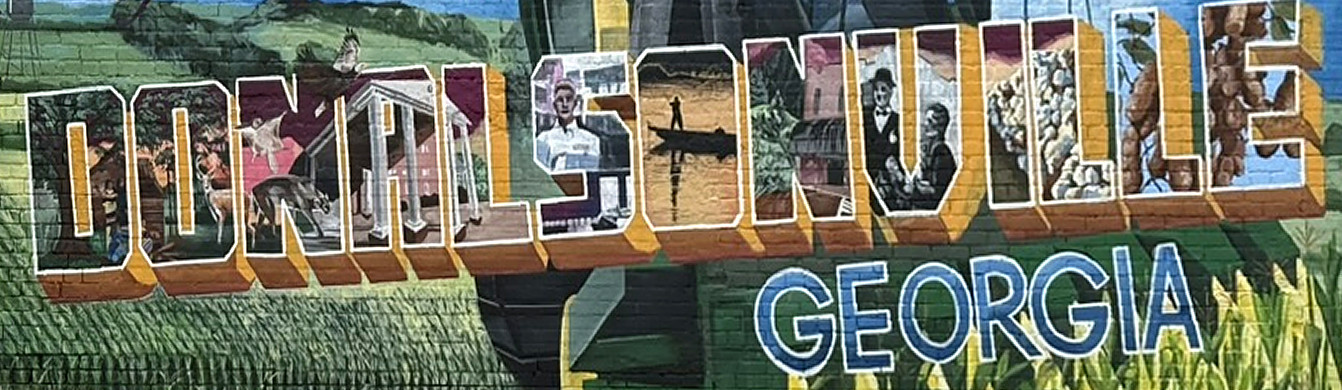
I recently took a quick drive “back home” to Donalsonville, GA, to rehome a couple of my granddad’s belongings with my cousin.
There’s the feeling that comes with returning to a place that holds a part of your history. You recognize the roads, the landscape, and the familiar surroundings. But you notice what’s changed, what’s missing, and what seems smaller than your memory.
You find yourself somewhere between nostalgia and grief, gratitude and regret, a sense of belonging and a desire for distance.
Life is where we’ve been, where we’re going, and who we become along the way. It’s made up of the people we’ve loved, the friendships we’ve formed, the ones we’ve lost, and the places that shaped us. The memories we cherish sit beside those we try to forget. There are things we’ve learned to forgive and pieces of ourselves we’ve left behind.
Somehow, all of these become intertwined. A patchwork of threads that are strong and familiar. Others that are frayed, tangled, or broken. And there are some we still pull on with everything we have, even when we know better.
It’s the fabric of who we are.
But going back has a way of pulling on all those threads, all at once.
And, it’s overwhelming.
Perhaps it’s the realization that we never really escape everything that shaped us. The good, the bad, the beautiful. The painful.
They all leave their marks. Some are sources of strength. Others are wounds we’re still learning to understand decades later.
But there are other parts of us that are also built on seemingly small connections. The stories passed down. Lessons we inherited without even realizing it. Objects we keep because of the hands that once held them.
My granddad’s belongings are pieces of a much larger story. A story that began long before I was here and continues in ways I’ll never see.
Passing them along to my cousin felt like more than sharing possessions. It was preserving a connection, honoring a life, and acknowledging that we’re all temporary keepers of something much bigger than ourselves.
We’re constantly holding on and letting go.
We’re always carrying a past while moving forward.
And somewhere, in the middle of it all, we keep trying to make sense of our brief time here, hoping the things we do, the people we love, and the pieces of ourselves we leave behind mean something.